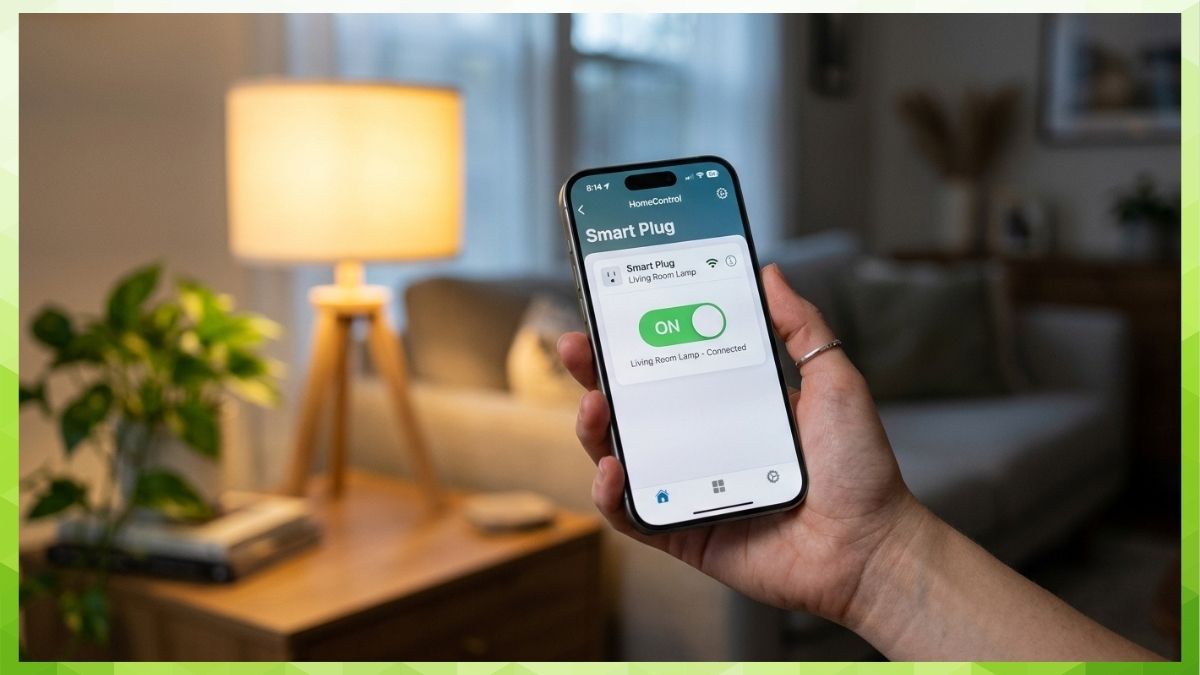
Last Updated on May 24, 2026 by Kravelv Spiegel
The best HomeKit-compatible smart plugs for heavy appliances in 2026 are the Kasa EP25 (best overall, 15A, UL certified, no hub required for local control), Tapo P125 (best for Bluetooth onboarding, 15A, UL certified), meross Smart Plug Mini (best for multi-pack value, 15A, ETL and FCC certified), and Refoss Smart Plug (best budget HomeKit option, 15A, ETL certified). All four work with Siri, Apple Home, Alexa, and Google Home, are rated for 15A/1,800W, and are available on Amazon. Remote access and automations when you are away from home require a home hub: a HomePod, HomePod mini, or Apple TV 4th generation or later.
Why Apple HomeKit Users Need a Specific Smart Plug?
Not all smart plugs support Apple HomeKit. In fact, HomeKit compatibility is one of the most restricting filters in the smart plug market. Most 15A heavy-duty plugs — including otherwise excellent options like the Govee Smart Plug and BN-LINK Heavy Duty — do not support HomeKit at all.
HomeKit requires Apple’s MFi (Made for iPhone/iPad/iPod) certification, which demands that manufacturers pass Apple’s own hardware authentication and protocol requirements. This raises both the design cost and the testing burden, which is why fewer plugs carry it. For households built around iPhones, Siri, and the Apple Home app, this matters: a plug without HomeKit cannot be added to the Home app, cannot respond to Siri commands, and cannot participate in HomeKit automations.
The good news is that several 15A-rated heavy-duty plugs do carry HomeKit certification and are available on Amazon. This guide covers the best of them.
Does HomeKit Require a Hub for Smart Plugs?
This is the most common source of confusion for HomeKit beginners. The short answer: you do not need a hub for basic local control. You do need a hub for remote access and automations.
Specifically: you do not need a hub for basic in-home control within your local Wi-Fi network. For remote access and automations while away from home, a HomePod, HomePod mini, or Apple TV acting as a home hub is required, the same as any other HomeKit accessory.
In practical terms for smart plug users:
- No hub needed: Turning your space heater on or off from your iPhone while you are home on the same Wi-Fi network.
- Hub required: Turning the heater off remotely after you have left the house. Running time-based automations (schedules) through Apple Home. Using Siri on a HomePod to control the plug.
As of the current Home architecture, only HomePod, HomePod mini, and Apple TV 4th generation or later can serve as full HomeKit home hubs. The iPad was previously supported but has been phased out on the new Home architecture.
The most affordable hub option is the HomePod mini, which automatically becomes your home hub once set up and signed in with your Apple ID, with no additional configuration needed.
The 4 Best HomeKit Smart Plugs for Heavy Appliances
1. Kasa EP25 — Best Overall HomeKit Smart Plug for Heavy Appliances
Amperage: 15A | Max Wattage: 1,800W | Certifications: UL
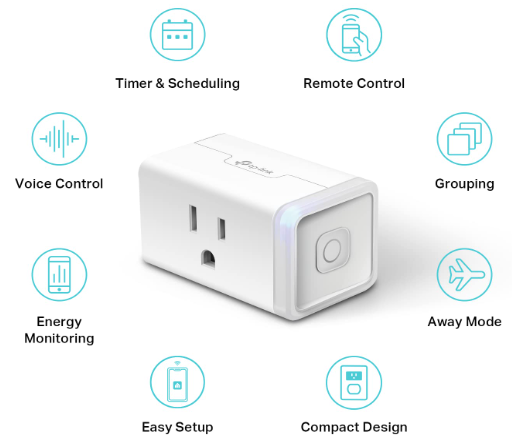
The Kasa EP25 is the top-ranked HomeKit smart plug for heavy appliances. It is Kasa’s latest Apple HomeKit supported Wi-Fi mini smart plug that supports 15A maximum load with energy monitoring. It works across all four major smart home platforms: Apple Home (Siri), Alexa, Google Home, and Samsung SmartThings, making it the most universally compatible plug on this list.
The EP25 uses direct Wi-Fi protocol integrations for each platform rather than the Matter protocol. The Matter-compatible equivalent from TP-Link is the KP125M, which is a separate model. For most HomeKit users who do not specifically need Matter, the EP25 covers every practical use case.
Independent testing found the EP25 to be among the most consistently reliable plugs in extended real-world testing, with stable Wi-Fi connections even when installed in basement or far-from-router locations.
Best for: Apple HomeKit users who also use Alexa, Google Home, or SmartThings and want a single plug that works across all ecosystems with energy monitoring.
Key features:
- 15A/1,800W UL certified with flame-retardant housing
- Apple HomeKit, Alexa, Google Home, and Samsung SmartThings support
- Real-time energy monitoring via Kasa app
- Compact design, does not block adjacent outlet
- Scheduling, timers, and Away Mode
- Amazon Frustration-Free Setup (FFS) and Google Seamless Setup (GSS) supported
- 2-year limited warranty
One honest limitation: The EP25 requires 2.4GHz Wi-Fi only. It does not support 5GHz networks. This is standard across most smart plugs but worth confirming if your router broadcasts only 5GHz.
2. Tapo P125 — Best for Easy Bluetooth Onboarding
Amperage: 15A | Max Wattage: 1,800W | Certifications: UL
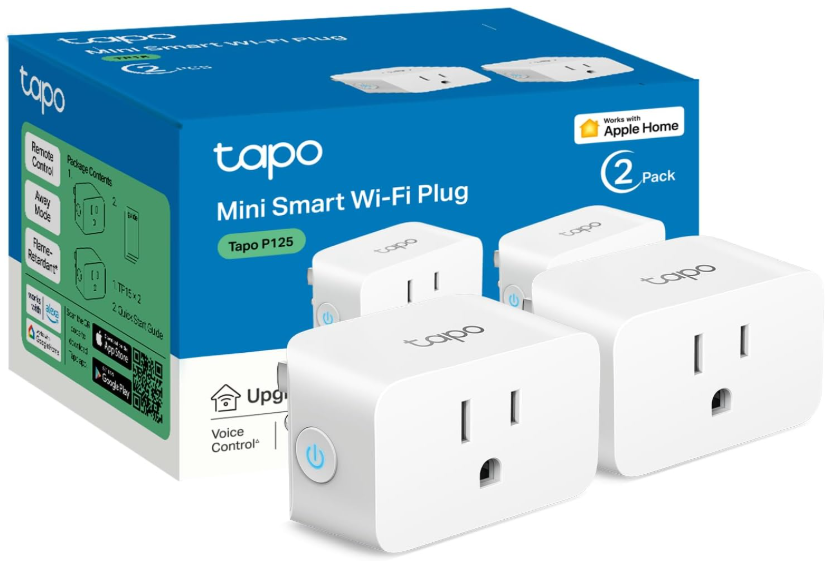
The Tapo P125 is TP-Link’s dedicated HomeKit smart plug from the Tapo line, distinct from the Kasa EP25. It fully integrates into the Apple ecosystem, is UL certified with a flame-retardant design, and works with Siri, Alexa, Google Home, and Samsung SmartThings via the Tapo app. Its standout setup advantage is Bluetooth-assisted onboarding, which provides a faster and smoother initial connection experience compared to Wi-Fi-only pairing.
An important note for remote access: Apple HomeKit remote control requires an additional networked Apple device at home such as an iPad, HomePod, or Apple TV.
Best for: Users who want the simplest possible setup process or who have had past frustrations with Wi-Fi-only smart plug pairing.
Key features:
- 15A/1,800W UL certified, flame-retardant design
- Bluetooth-assisted onboarding for faster setup
- Apple HomeKit, Alexa, Google Home, and SmartThings support
- Advanced scheduling and timer via Tapo app
- Compact design, does not block adjacent outlets
- 2-year limited warranty
One honest limitation: The Tapo P125 does not include energy monitoring. If tracking power consumption on your heavy appliances is a priority, the Kasa EP25 is the better choice.
3. Meross Smart Plug Mini — Best Multi-Pack Value
Amperage: 15A | Max Wattage: 1,800W | Certifications: ETL, FCC
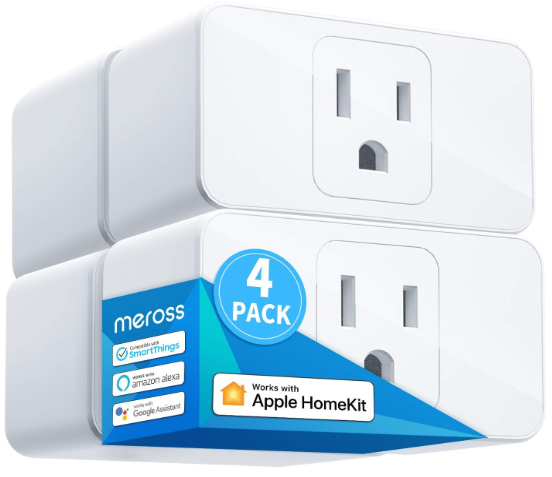
The meross Smart Plug Mini is one of the most widely used HomeKit plugs on Amazon and a consistent recommendation across HomeKit-focused review sites. It is made of PC flame-retardant material, certified by ETL and FCC, and supports home appliances up to 15A. It works with Apple HomeKit, Siri, Alexa, Google Assistant, and Nest Hub, and connects without requiring a hub for local control.
The meross plug is available in 4-packs, making it the most cost-effective option per unit for households that need HomeKit coverage on multiple heavy appliances simultaneously.
Best for: Households needing multiple HomeKit-compatible plugs at once, such as a space heater, dehumidifier, window fan, and desk lamp all under Apple Home control.
Key features:
- 15A/1,800W ETL and FCC certified, PC flame-retardant housing
- Apple HomeKit, Siri, Alexa, Google Assistant, and Nest Hub support
- No hub required for local control
- Available in 4-pack for multi-appliance coverage
- Scheduling, timers, and remote control via Meross app
- Compact design
One honest limitation: Meross does not include energy monitoring on its standard Smart Plug Mini. A separate meross Matter Smart Plug with energy monitoring is available if that feature is needed.
4. Refoss Smart Plug — Best Budget HomeKit Option
Amperage: 15A | Max Wattage: 1,800W | Certifications: ETL, FCC
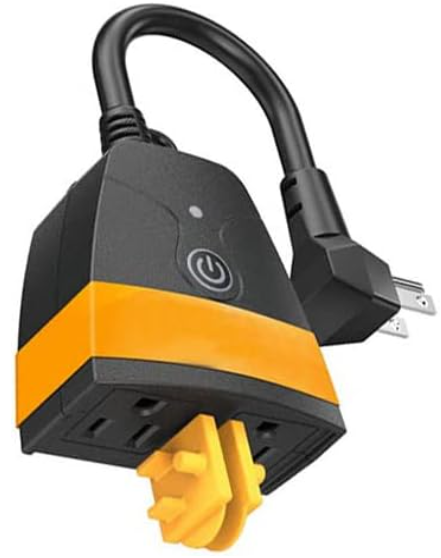
The Refoss Smart Plug is the most affordable HomeKit-certified smart plug available on Amazon while still meeting 15A certification requirements. It works with Apple HomeKit, Siri, Alexa, and Google Assistant, includes scheduling and timer functions, and features a compact design that allows two plugs in one outlet without interference.
Setup is done through the Refoss app, which TP-Link recommends configuring first before adding to Apple Home to ensure the latest firmware is loaded. Android users configure entirely through the Refoss app; iOS users configure through Refoss first, then the device becomes available in the Home app.
Best for: Budget-conscious buyers who need HomeKit compatibility without paying a premium price.
Key features:
- 15A/1,800W ETL and FCC certified
- Apple HomeKit, Siri, Alexa, and Google Home support
- Compact size, two plugs fit in one duplex outlet
- Scheduling and timer functions
- Remote control with internet access
- No hub required for local control
One honest limitation: Refoss has a smaller support ecosystem than TP-Link brands. Firmware update frequency and long-term app support are less established than Kasa or Tapo.
HomeKit vs. Alexa vs. Google Home: Which Platform Is Best for Smart Plugs?
Each platform has genuine strengths. The right choice depends on which devices you already own and how you use your smart home.
Apple HomeKit offers the strongest privacy architecture. All automations and device data are processed locally through your home hub rather than through third-party cloud servers. HomeKit is also the most tightly integrated platform for iPhone and Siri users. The tradeoff is that HomeKit requires Apple hardware for remote access and has a smaller compatible device selection than Alexa or Google Home.
Amazon Alexa has the largest compatible device ecosystem and the most mature routine-building interface. Alexa works with virtually every 15A smart plug on the market, including options that do not support HomeKit. The tradeoff is that all processing goes through Amazon’s cloud.
Google Home integrates most naturally with Android devices and Google services. Its routine builder is strong and its geofencing implementation is reliable. Like Alexa, it works with most major smart plug brands.
For heavy appliance users specifically: the platform choice matters less than the plug’s amperage rating and certification. All four platforms support scheduling, remote control, and voice commands equally well for the core use case of turning heavy appliances on and off.
Setting Up a HomeKit Smart Plug: Step-by-Step
- Plug the smart plug into a wall outlet. Do not insert into a power strip or extension cord.
- Download the plug’s companion app (Kasa, Tapo, Meross, or Refoss depending on your model).
- Follow the in-app setup to connect the plug to your 2.4GHz Wi-Fi network.
- Once setup is complete in the companion app, open the Apple Home app on your iPhone.
- Tap the “+” icon and select “Add Accessory.”
- Scan the HomeKit QR code on the plug or its packaging using your iPhone camera.
- Assign the plug to a room in your Home app and give it a name.
- The plug is now controllable via Siri, the Home app, and any HomeKit automations.
For remote access and away-from-home control: ensure a HomePod, HomePod mini, or Apple TV is set up and signed into the same Apple ID on your home network. The hub runs automations and enables remote control even when your iPhone is away.
Frequently Asked Questions
No. HomeKit compatibility requires Apple’s MFi certification, which not all manufacturers pursue. Among 15A heavy-duty plugs, HomeKit support is limited to a smaller subset of the overall market. The four plugs in this guide are the best-verified HomeKit options for heavy appliances currently available on Amazon.
HomeKit is designed for Apple devices. The initial setup and daily control require an iPhone, iPad, or Mac running the Apple Home app. You can also control HomeKit plugs through Alexa or Google Home if the plug supports those platforms in addition to HomeKit, which all four plugs on this list do.
Yes, for local in-home control. HomeKit operates locally on your home network even without internet access, as long as your iPhone and the plug are on the same Wi-Fi network. Remote access when away from home requires both internet and a home hub.
HomeKit is Apple’s proprietary smart home protocol. Matter is an industry-wide interoperability standard supported by Apple, Amazon, Google, and Samsung simultaneously. A Matter-certified plug automatically works with all four platforms without separate setup per ecosystem. HomeKit-only plugs like the EP25 work with all four platforms but require individual setup per platform. If long-term cross-platform compatibility and future-proofing matter to you, look for a Matter-certified plug such as the Tapo P125M or Kasa KP125M.
Yes, within your home network. Siri on your iPhone can control HomeKit plugs locally without any hub as long as you are on the same Wi-Fi network. For Siri control through a HomePod speaker, or for Siri commands when you are away from home, a HomePod or Apple TV hub is required.
This usually means the plug has lost its Wi-Fi connection or needs a restart. Unplug the device, wait 10 seconds, and plug it back in. If the issue persists, check that your 2.4GHz network is active and that the plug is within range of your router. Ensure your Home hub (HomePod or Apple TV) is powered on and connected to your home network.
No smart plug of any platform operates during a power outage. After power is restored, HomeKit plugs reconnect to Wi-Fi automatically and resume any stored schedules without requiring reconfiguration.
No. Both are made by TP-Link and both support HomeKit, but they use different apps (Kasa vs. Tapo), have different setup processes, and belong to separate product lines. The EP25 includes energy monitoring; the P125 does not but has Bluetooth onboarding. Choose based on whether energy tracking or easier setup is your priority.
Final words
Apple HomeKit compatible smart plugs for heavy appliances are a smaller but well-defined category. The Kasa EP25 is the strongest all-around pick for 15A appliances with energy monitoring and full cross-platform support. The Tapo P125 is the easiest to set up. The meross 4-pack delivers the best per-unit value for multi-appliance coverage. The Refoss is the most affordable certified entry point.
All four require a home hub (HomePod, HomePod mini, or Apple TV) for remote access and automations when away from home. For local in-home control, all four work from your iPhone without any hub.
For a complete comparison of all 15A smart plugs for heavy appliances including non-HomeKit options, see the full guide: [Best Smart Plugs for Heavy Appliances →]
Last updated: April 2026 | Sources: Apple Support, Amazon product pages, TP-Link official documentation, iGeeksBlog, SmartHomeMatrix.